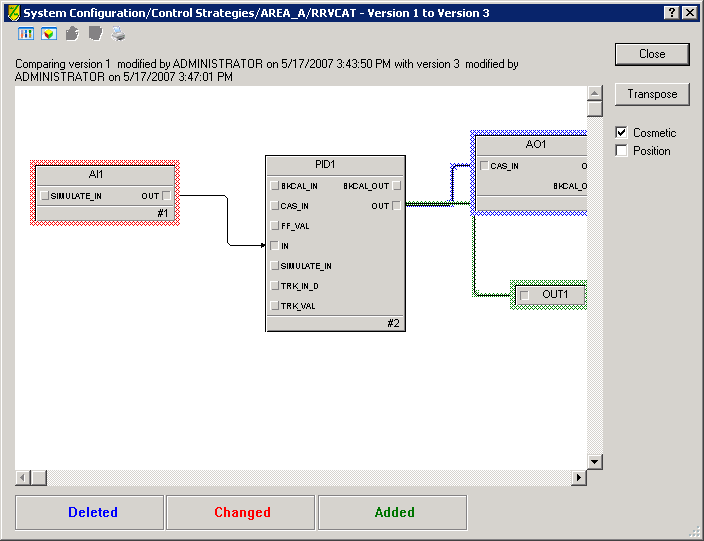
For graphics, the system displays a diagram view containing a combination of all the elements in the two configuration items. The most current version appears on top by default. The view shows the unchanged items without highlights, added items highlighted with green, changed items highlighted with red, and deleted items highlighted with blue. The text above the graphics view indicates the two versions of the item being compared.
The difference display enables you to transpose the graphic view of differences. This places the older version on top. Note that Added elements such as function blocks (those that appeared in green when the newer version of the item was on top), will be highlighted in blue when the older item is on top. Strictly speaking, these items have not been deleted. However when the system compares the two versions, it recognizes that this item is absent from the older version and highlights the item in blue.