Perform a disk check whenever Windows shuts down abruptly (without using the normal shutdown procedures). Use the following steps:
Start the Windows Explorer by selecting Start → Programs → Accessories → Windows Explorer.
Select the disk(s) where the DeltaV software and database reside. (If the software and database reside on two disks, perform these steps separately for each disk.)
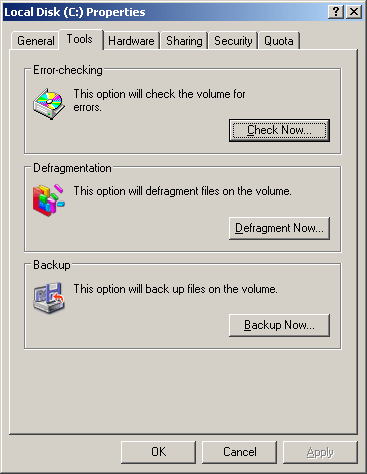
Right-click and select Properties. The Local Disk Properties dialog appears.
Click the Tools tab. Then, click Check Now in the Error-checking pane.
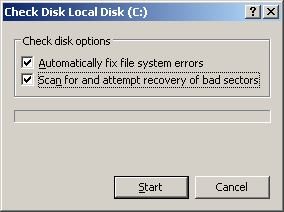
Select both check boxes, as shown in the following figure.
A system message appears stating that you cannot get exclusive access to the disk and asking if you want to perform error-checking restart. Click Yes.