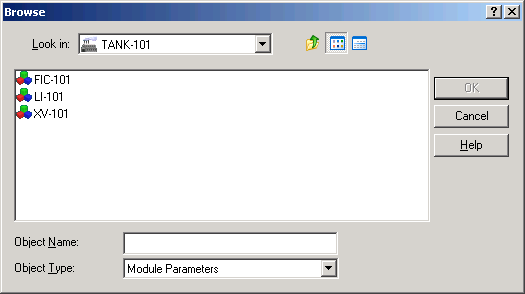
In this procedure, we will use the Expression Assistant to specify the interlock conditions on the three condition blocks.
- On the View tab, in the Windows group, click Arrange so that you can see all the views again.
- Select the CND1 block, right-click it, and then select Expression from the context menu to open the Expression Assistant. .
- Highlight and delete the entire first line of the expression. (The default first line is "FALSE". )
- Click the External Parameter button. This button browses for parameters that are external to the current parameter.
- Open the TANK-101 area.
- Double-click these items in each succeeding level: XV-101, DC1, PV_D and CV.
- Click or type "=".
- Click Named State, double-click the named set vlvnc-pv, select the state CLOSED, and then click OK.
-
Type a semicolon at the end of the expression.
The completed expression now reads as follows:
'//XV-101/DC1/PV_D.CV' = 'vlvnc-pv:CLOSED';
XV-101 is the module for the block valve; DC1 is the function block; PV_D.CV is the current value for the process value; and CLOSED is one of the states in the named set, vlvnc-pv. The expression indicates that an interlock should occur (the motor should shut off) if the block valve is closed. (A named set is simply a way to define names and equate them to integer values. Named sets are defined in DeltaV Explorer under System Configuration → Setup.)
- Click Parse.
- Click OK.
-
Select the CND2 block and use the Expression Assistant to specify
the second interlock condition as: '//LI-101/AI1/PV.CV'< 100;
LI-101 is the control module for the level indicator. AI1 is the analog input function block. PV.CV is the parameter for the analog input current value. The expression indicates that an interlock should occur (the motor should shut off) if the tank level goes below 100 gallons.
- Click Parse, correct any errors, and then click OK.
-
Select the CND3 block and use the Expression Assistant to specify
the third interlock condition (the regulatory valve is less than 5 percent
open) as: '//FIC-101/PID1/PV.CV' < 5;
FIC-101 is the module for controlling the outlet flow (regulatory) valve. PID1 is the loop function block. PV.CV is the parameter indicating the current state of the valve (percent open). The expression indicates that an interlock should occur if the valve is less than 5 percent open.
- Click Parse, correct any errors, and then click OK.