Plant areas overview

Add a plant area

A plant area named TANK-101 will hold the control modules used in the tutorials.

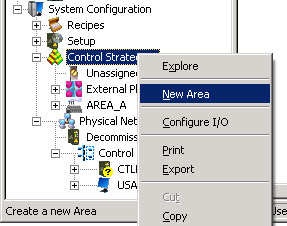
  1. In DeltaV Explorer, select and right-click Control Strategies.

  2. Select New Area from the context menu.

    A new area, named AREA1, is added and appears in an edit box in the right pane.

  3. Enter a new name (for our example, TANK-101) and press Enter.

Now you are ready to start creating the control modules.