Creating a Sequential Function Chart
>
Creating the SFC module
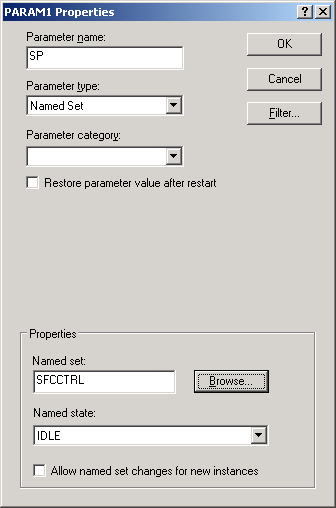
Add the SP parameter
Select and right-click the
Parameter
View, and then select
Add
from the menu.
The
Properties
dialog appears.
Type SP as the
Parameter Name
.
Select
Named Set
as the
Parameter type
.
For the
Named set
and
Named state
, browse to and select SFCCTRL and IDLE.
Click
OK
. The parameter is added to the module.