Configuring I/O channels

Configure the first channel on the first I/O card

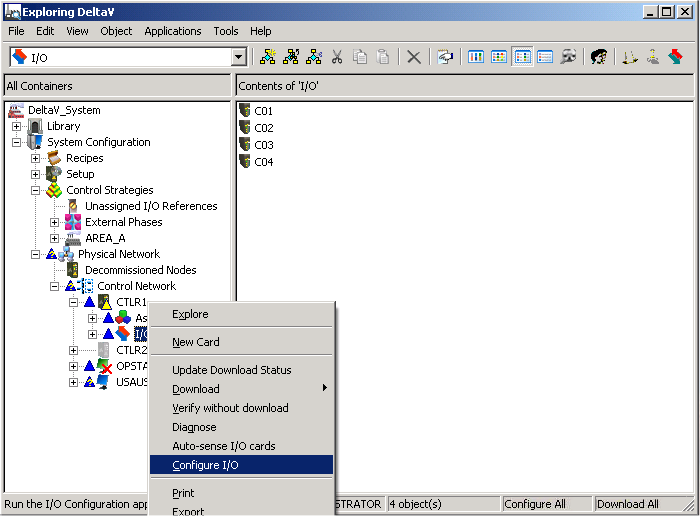
  1. In the DeltaV Explorer, select System Configuration → Physical Network → Control Network → CTLR1 → I/O.

    The right pane lists the I/O cards.

  2. Click the I/O configuration button on the toolbar (or right-click I/O , and then select Configure I/O from the menu).

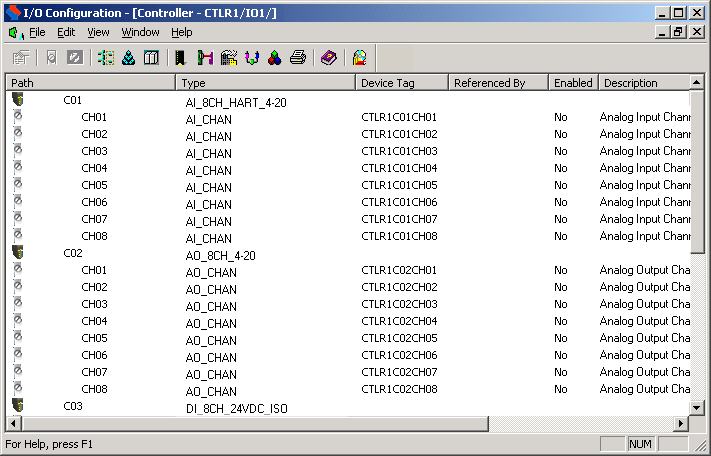
    The I/O Configuration window opens, displaying a list of the eight channels available on all the I/O cards. The default channel names are CH01 through CH08.
  3. For the first card (C01), select CH01, the first channel.
  4. Double-click CH01 (or right-click, and then select Properties from the menu).

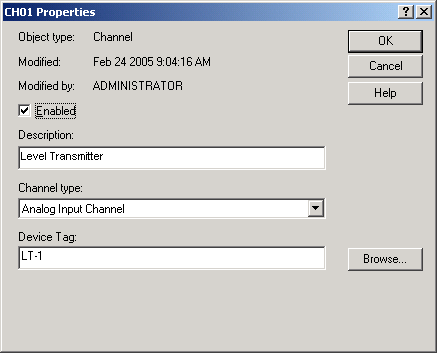
    The Channel Properties dialog appears.

  5. Select Enabled.
  6. Enter a description of the channel, for example, Level Transmitter.
  7. Enter a Device Tag in the Device Tag field, for example, LT-1.

    The Channel Properties dialog now looks like this:

  8. Click OK.