Configuring the controller node

Create a controller placeholder

  1. Open DeltaV Explorer on the ProfessionalPLUS workstation.
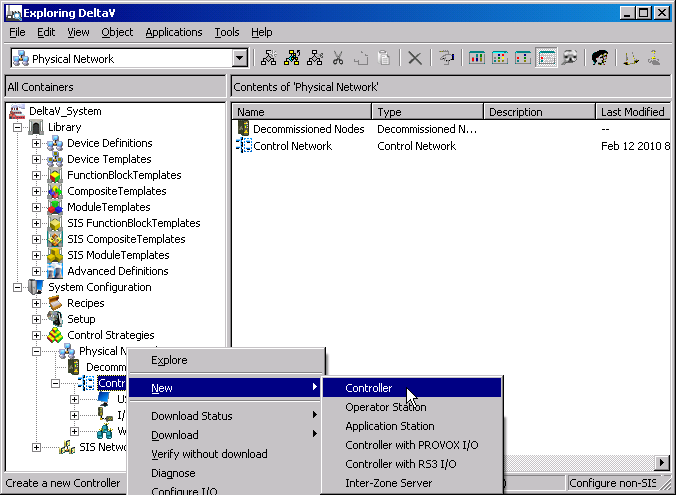
  2. Select and right-click Control Network, then select NewController from the context menu.

    A new controller, named NODE1, is added under the Control Network. The name appears in the right pane in an edit box, ready for renaming.

    Note

    A red X next to a controller means that the controller is not communicating.
  3. Rename the controller to something meaningful for your system. To do the tutorials in this guide, name it CTLR1.