Select and right-click
Named Sets in the left pane, and then select
New → Named
Set.
A new entry, NamedSetn (where
n is the next number available), is added to the end of the
list of existing named sets. The entry is in an edit box, ready to be renamed.
Type the new name, SFCCTRL, and press
Enter.
Double-click SFCCTRL (or select and right-click SFCCTRL, and then
select
Properties from the menu).
The
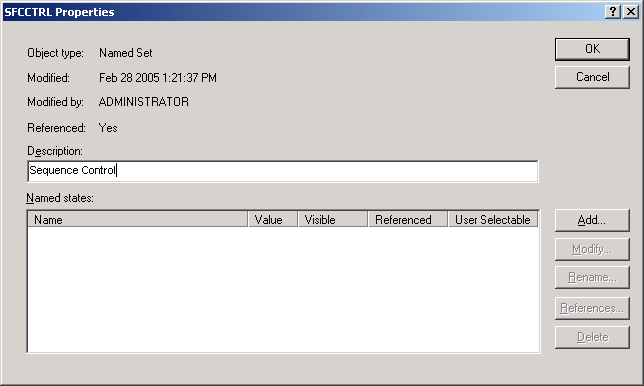
Properties dialog appears.
Type Sequence Control in the description box.
Click
Add.
The
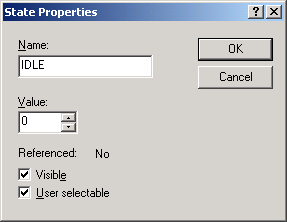
State Properties dialog appears.
Type IDLE in the
Name box, and then click
OK.
Note
Named sets are case sensitive. You can define them
using any combination of uppercase and lowercase characters, but all future
references to a state must be as originally defined.
To add another state, click
Add.
Type START in the
Name box, and then click
OK.
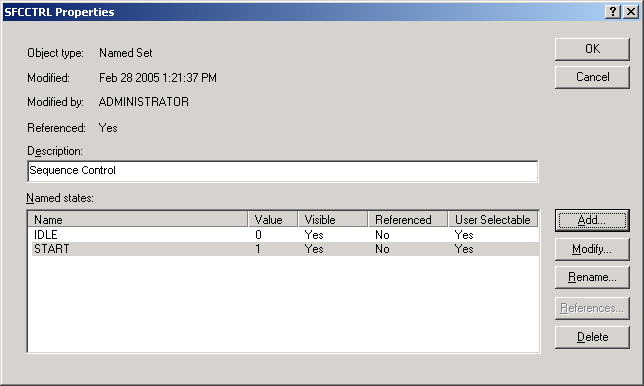
The
Properties dialog now has two named states,
IDLE and START.