Creating a Sequential Function Chart
>
Creating the SFC module
Create a Sequential Function Chart
Restore Control Studio by clicking its button on the Windows task bar.
Click the
Main
button, then click
New
.
In the
New
dialog, select
Control Module
or
Template
as the
Object Type
.
Select
Sequential Function Chart
as the
Algorithm Type
, and then click
OK
.
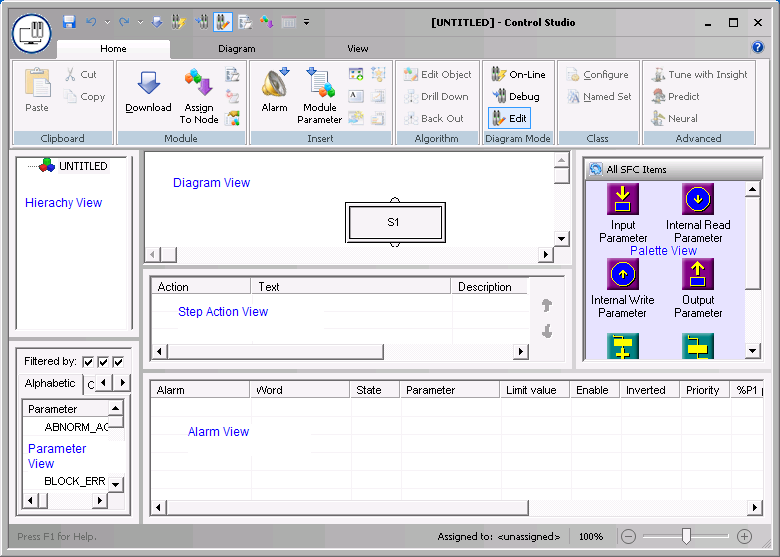
A new SFC diagram opens, with a single step, S1.