Creating a Sequential Function Chart
>
Creating the SFC module
Create a transition in the SFC
On the All SFC Items palette, click
Transition
, and then drag it to a point below the STOP_AND_WAIT box.
A plus sign named T1 appears.
Right-click the transition and select
Properties
(or double-click the transition).
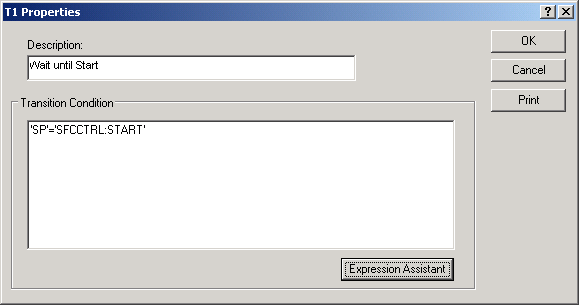
The
Properties
dialog appears.
Enter Wait until Start for the transition description, open the Expression Assistant, and then build the following condition statement:
'SP' = 'SFCCTRL:START'
Click
Parse
in the Expression Assistant, correct any errors, and then click
OK
in both dialogs.
Rename the transition WAIT_UNTIL_START.
 On the All SFC Items palette,
click
On the All SFC Items palette,
click