When you have finished configuring the workstation and
assigning licenses, you need to download the configuration. Before you
download, make sure the System Identifier has been connected to the
ProfessionalPLUS workstation.
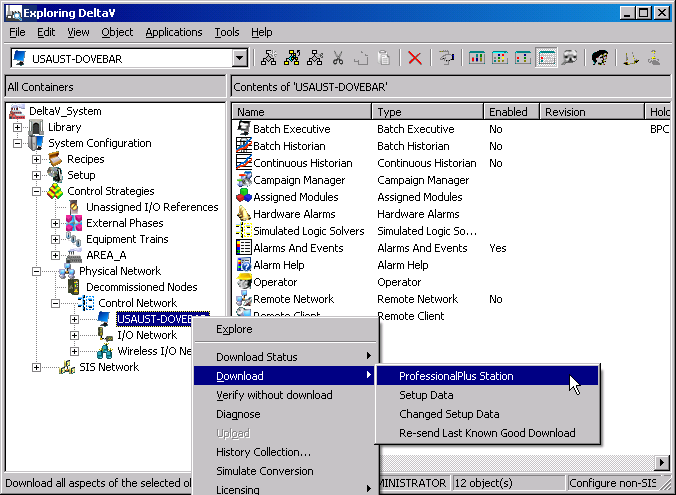
Start DeltaV Explorer by clicking
Start → DeltaV
Engineering → DeltaV Explorer.
Under
Control Network, select and right-click the
workstation, and then select
Download → ProfessionalPlus
Station from the menu.
Read the message and, if you are sure that the workstation is not
controlling a process, click
Yes to acknowledge the message and accept the
defaults in the
Confirm Download dialog.
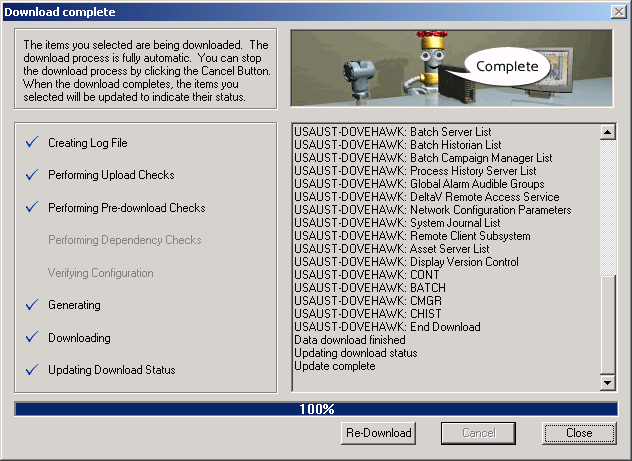
A window opens showing the progress of the download
and providing information about any problems encountered.
Click
Download Anyway if the
Configuration Check Results message box
appears.
Because you have not assigned I/O, you will probably
get some configuration messages.