- If you are the very first user after the workstation has been installed with DeltaV, log into Windows desktop as either Administrator (on server class computers) or Emerson (on workstation class computers).
- When prompted to log into DeltaV, use the same administrator-level account as used for the Windows login.
- Select Windows Desktop from the Flexlock application.
- Click .
The initial screen of the User Manager application appears.
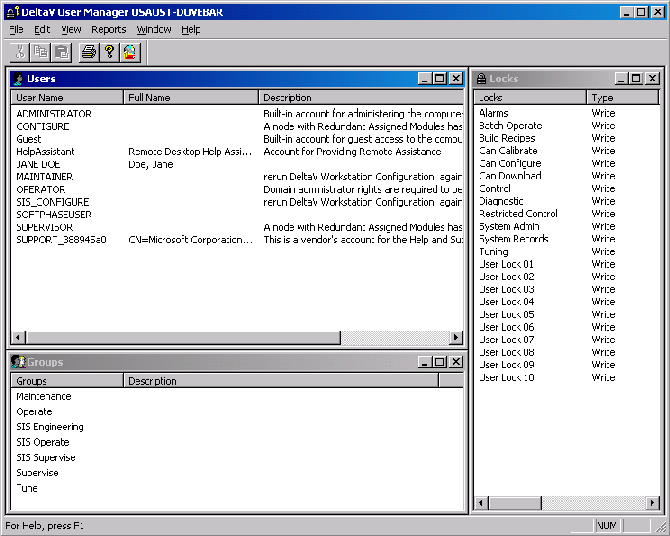
There are a number of default interactive user accounts, including Administrator (or Emerson on workstation class machines), Configure, Operator, Supervisor, Maintainer, SIS_Configure, and Guest. Only Administrator (Emerson) has full privileges.
To learn more about User Manager, particularly the specifics of how to limit access to plant areas and grant configuration/download privileges, read the online help for this system.