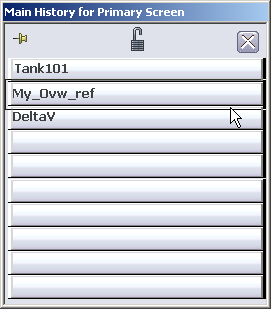
The
Main field in the
Toolbar lists the name of the current picture.
Operators can go quickly to another picture by clicking its name in the
Main History list.
Click the arrow next to the
Main field.
This opens a list of the pictures recently visited.
Click the
Pushpin button in the top left corner.
Tip
The
Pushpin button at the top of the
Main History list is a toggle switch for
keeping the
Main History list open after a selection
is made. The
Lock button locks the list, and the
Close button closes the list. You can
predefine a
Display History list and lock it using the
UserSettings file.