Adding the Smart Firewall to Internet Explorer trusted sites
Open
Internet Explorer
Click
Tools
Internet Options
.
Click the
Security tab
, select
Trusted Sites
, and click the
Sites
button.
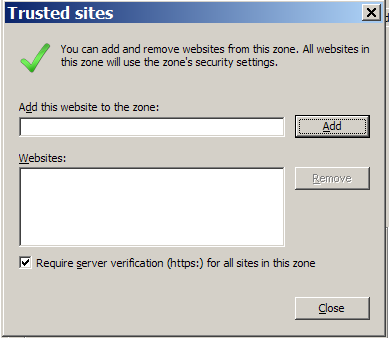
The
Trusted Sites
dialog opens:
Copy and paste the firewall's IP address to
Add this website to the zone:
and click the
Add
button.
The firewall's address appears in the
Websites:
list.
Select
Require server verification (https:)
if it is not already selected.
Close the
Trusted Sites
dialog
Click
OK
on the
Internet Options
dialog.