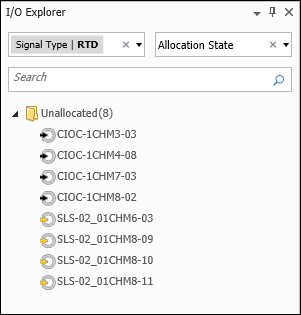
In the I/O Explorer pane of I/O Studio, you can search for I/O nodes and devices among all items in the DeltaV system, or among only items that have been filtered based on item properties. When you type in the Search field, I/O Studio matches the text to the Name field of items in the I/O Explorer pane. The following figure shows an I/O Explorer pane in which items have been filtered for the Signal Type RTD and grouped according to the Allocation State property. Note that searching among filtered and grouped items is faster than searching among all the items in the DeltaV system.