The 8-Wide I/O Carrier holds up to eight simplex or four redundant S-series I/O cards. It has connectors for providing separate primary and secondary 24 VDC field power to redundant cards and other connectors for providing 120/230 AC and 24 VDC field power to individual cards.
The 8-Wide I/O Carrier installs on horizontal T-type DIN rails. No screws are required to install the 8-Wide I/O Carrier on the DIN rail. Connectors on both sides of the carrier connect with adjacent carriers to form the LocalBus.
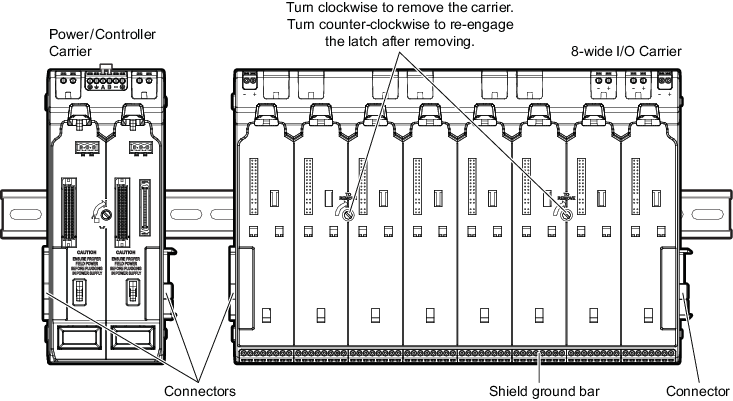
If the carrier has been installed and then removed from the DIN rail, turn the two screws on the front of the carrier counter-closewise to reengage the latch before reinstalling the carrier.
- Align the carrier against a T-type DIN rail and push it to snap it into place.
- Connect the carrier to any adjacent carriers by sliding together the connectors on the sides of the carriers.
- Connect the shield ground bar on one carrier to chassis ground. The carriers pass the shield on to adjacent carriers. There is no need to make more than one shield ground connection.