DeltaV Vertical Carriers
>
Installing VerticalPLUS Carriers
>
Installing and Removing the Carriers
Installing VerticalPLUS Carriers
Position the carrier on the DIN rail and push it against the DIN rail to snap it into place.
Slide the carrier down on the DIN rail until it meets the DIN rail stop.
Snap the next carrier onto the DIN rail following the instructions in Step 1.
Connect each carrier to the adjacent carrier by sliding together the pins on the ends of the carriers.
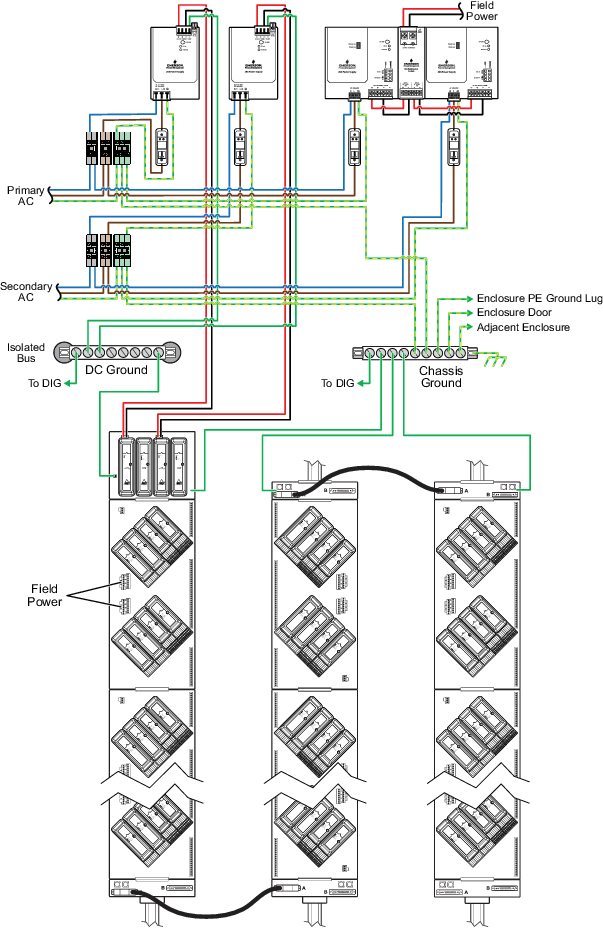
Connect ground wiring as shown in the following figure. Connect only one ground wire for each group of carriers on a DIN rail.
Figure: Ground Wiring for System Power Supplies