-
Click
 .
.
-
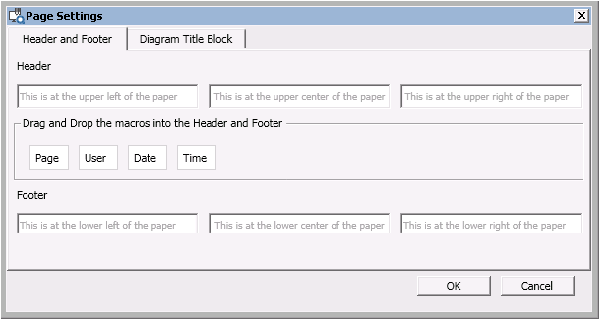
Enter text in the empty fields for the Header and Footer.
Note
The header and footer both support as many as three text items: one item left-justified, one item right-justified, and one item centered. Enter the text in the field corresponding to the location you want it on the page. For example, if you want Boiler1 to be displayed in the top center of the page, type Boiler1 in the center field of the Header. If you want the page number to be displayed in the bottom left of the page, type #page in the left field of the Footer (or drag and drop the Page macro).