PLM_fp (Phase Logic Module faceplate)
Configuration view of the Phase Logic Module faceplate (PLM_fp)
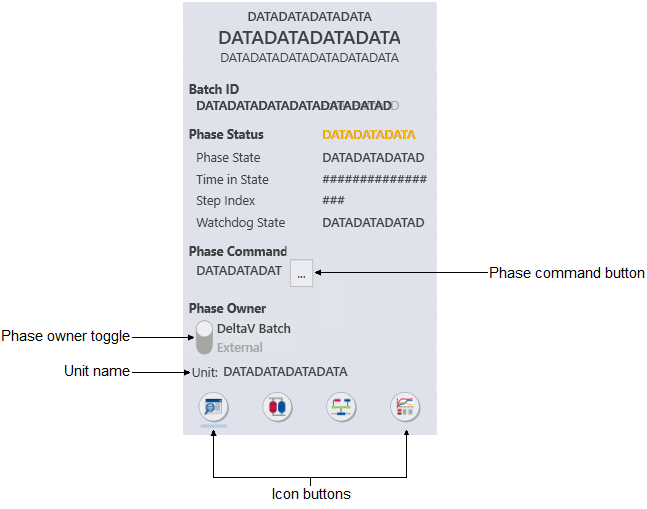
The PLM_fp is used with Phase
Logic Modules. The following list describes the major components that are
present on the PLM_fp.
- Batch ID
- Shows the Batch ID for the current phase.
- Phase status
- Shows the current status for the phase, along with the following
information:
- Phase state
- Shows the current state of the phase.
- Time in State
- Shows the time elapsed since the current state began.
- Step Index
- Shows, as a number, the current step of the phase.
- Watchdog State
- Shows the current state of the watchdog.
- Phase command
- Shows the current phase command.
- Phase command button
- Opens a list of Batch commands.
- Phase owner
- Indicates the control mode (DeltaV Batch or External) for the current phase, which is based on the OWNER parameter. When the batch is running External, the user controls the phase.
- Phase owner toggle
- Click to change the phase owner.
- Unit name
- Shows the unit name.
- Icon buttons
-
Icon Description 
Opens the module's detail display. 
Opens the module's primary control display. 
Opens the module in Control Studio. 
Opens Process History View.