Components of the event journal screen
The Event Journal screen displays all data for the currently selected batch in a table format.
Event Journal Screen
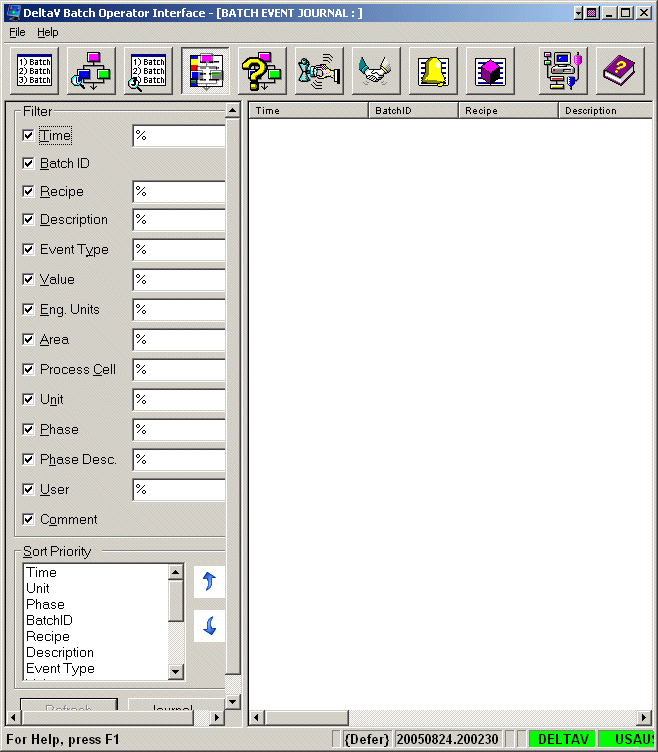
The screen itself is comprised of three distinct sections:
Filter Function - Defines what columns of information are visible.
Sort Function - Defines the order in which the selected columns appear.
View Journal Table - Displays the information selected in the Filter Function area in the order defined in the Sort Function area.
There are two buttons located at the bottom of the Event Journal screen:
Refresh - Updates the current Journal file.
Journal - Opens the Batch Data File Selection dialog. From this dialog, operators can select a batch and view its corresponding Journal file in the View Journal screen.