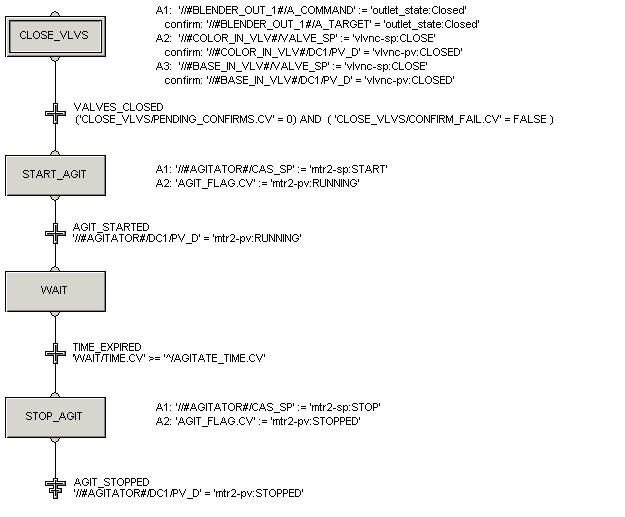
In Control Studio, configure the running logic for the AGITATE phase class by adding the steps, actions, and conditions as shown in the SFC below. For the actions in the first step, remember to configure corresponding confirm expressions. Also, remember when you are inserting an alias, select the module block rather than the simple alias; the module block allows you to browse to embedded parameters.
In the figure that follows, the transition conditions are shown next to the transitions. The step actions are also shown in the figure but don't actually appear on the diagram that you will create. (The step actions will appear in the Action view when a step is selected.)
After creating the running logic for AGITATE, save the phase class.