In the Library section of the DeltaV Explorer, select the BLENDER unit class.
Note
Every new unit class has unit parameters named FREMEM and NUMPHASES. The FREMEM value is the amount of the free memory available in a node, and the NUMPHASES parameter contains the number of phases currently loaded on the unit.
Right-click and select New → Unit Parameter Definition from the context menu.
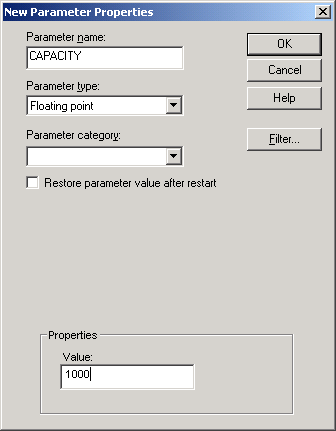
In the PARAM1 Properties dialog, enter the parameter name (CAPACITY), parameter type (Floating point), and default value (1000). Leave the Parameter category field blank.
Click OK to create the unit parameter.
Repeat the steps to create the additional parameters listed in the table.