Equipment definition > Control module classes > Create a control module class category

Create a control module class from a library template

The batch system in the paint example contains a number of similar valves. Rather than create the module class from scratch, we will define a control module class for on-off valves using a preconfigured control module template in the DeltaV Module Template Library as the starting point.
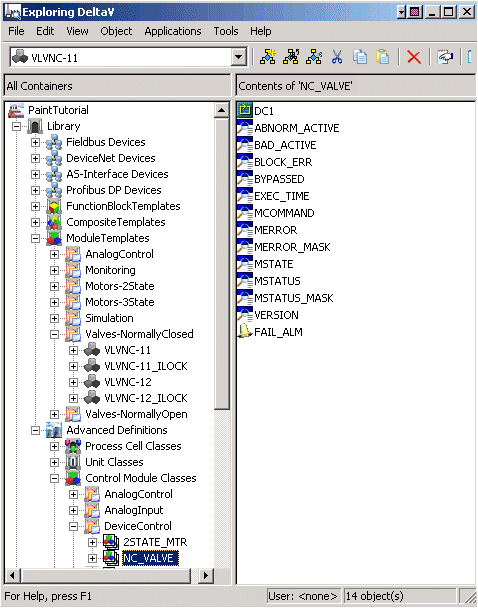
  1. In the Module Templates section of the Library, open the Valves-NormallyClosed category.
  2. Select the module template VLVNC-11, and then drag it to the DeviceControl category under Control Module Classes. 
  3. Rename the new class (VLVNC-11_1) to NC_VALVE (for normally closed valve).