Equipment definition > Control module classes > Modifying the module class to enable simulation
Enable simulation on the NC_VALVE module class
-
Open DeltaV Explorer.
-
Navigate to the NC_VALVE control module class under the DeviceControl category in the Advanced Definitions section.
-
Right-click NC_VALVE, and then select Configure from the context menu.
-
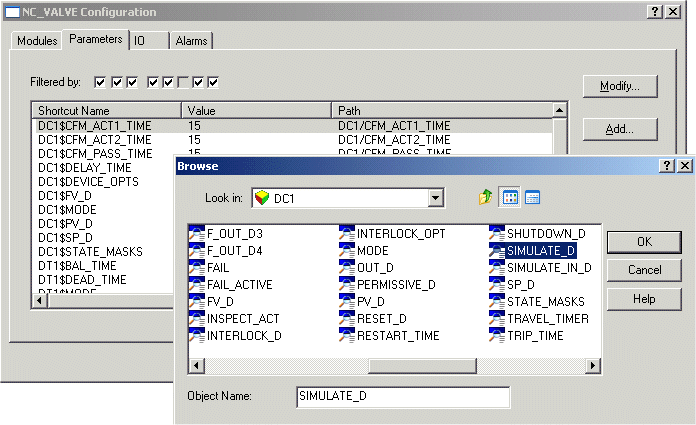
Select the Parameters tab.
-
Click Add.
-
Browse to DC1/SIMULATE_D, and then click OK.
-
Select the DC1$SIMULATE_D parameter and click Modify to open the Properties dialog (or double-click the parameter name).
-
Select Enabled under Simulate Enabled/Disabled.
-
Click OK on the Properties dialog, and then close the Configure dialog.