Equipment definition > Control module classes > Creating a control module class for level indicators
Modify the LEVEL_INDICATOR class
-
Open LEVEL_INDICATOR in Control Studio and select the AI block.
-
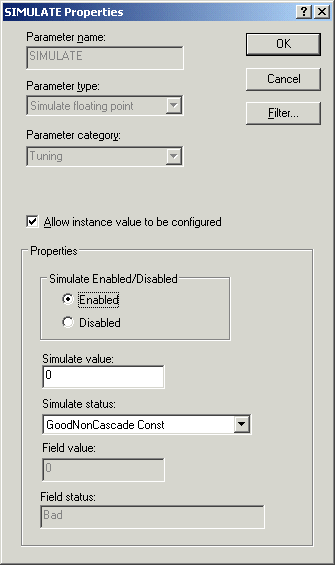
Select the tuning parameter SIMULATE, and then open the Properties dialog.
-
Select Enabled, check the Allow instance value to be configured box, and then click OK.
-
Select the I/O parameter OUT_SCALE and open the Properties dialog.
-
Change the 100% scale to 1000 and the Engineering unit to gallons (gal), and then check the Allow instance value to be configured box.
-
Select the L_TYPE tuning parameter, and then change the named state to Direct.
-
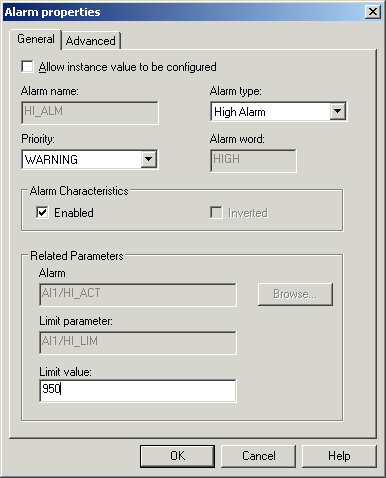
Select the HI_ALM parameter in the Alarm Parameters window, and then open the Properties dialog.
-
Change the Limit value to 950, and then click OK.
- Open the Properties dialog for the module class and, on the Displays tab, browse for and select Process as the primary control display.
-
Save the module, and then close Control Studio.