Equipment definition > Control module classes > Making a parameter configurable

Specify that a parameter is configurable

  1. In Control Studio, select the DC block on the NC_VALVE module class.
    The parameters for this block are listed in the lower left pane. (If necessary, check the various filter boxes so that all the parameters are visible in the list.)
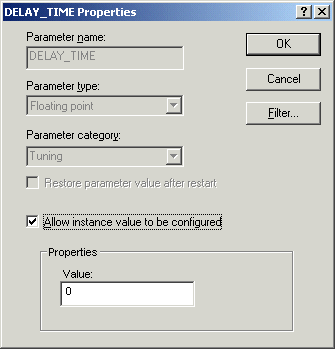
  2. Click the Categorized tab. In the Tuning category, select DELAY_TIME as the parameter you wish to make configurable at the instance level and open the Properties dialog. 
  3. Check the box Allow instance value to be configured. 
    The default value for DELAY_TIME for all instances created from this class is 0, but the value can now be changed for particular instances.

    Note that the Properties dialog can also be opened in DeltaV Explorer  to make this kind of change.

  4. Save the class and close Control Studio.

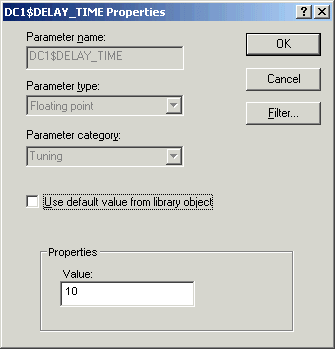
Later, when instances of the valve have been created in the System Configuration section of the DeltaV Explorer, we can select the DC block on any of those valve control modules, open the Properties dialog, delete the check mark from the box Use default value from library object, and then change the parameter value for that instance. Thus, if we wanted to add a delay of 10 seconds to the opening of a particular valve, the Properties dialog for the DELAY_TIME parameter on its DC block would look like the following: