AGITATE phase logic configuration

Assign the AGITATE phase to the BLENDER unit class

Now that we have the AGITATE phase running logic, we will assign the phase to the unit module class for the blenders. The assignment will automatically be propagated to the BLENDER unit modules we created earlier in the process cell. The assigned phases are called unit phases and are marked by the icon.

  1. In the DeltaV Explorer, assign the phase class AGITATE (under BlenderPhases) to the BLENDER unit class using the drag-and-drop method.
  2. Expand the UM_BLEND_500  and UM_BLEND_600 unit modules in the PAINT_BLEND process cell to confirm that the AGITATE phase has been assigned to the unit modules. 
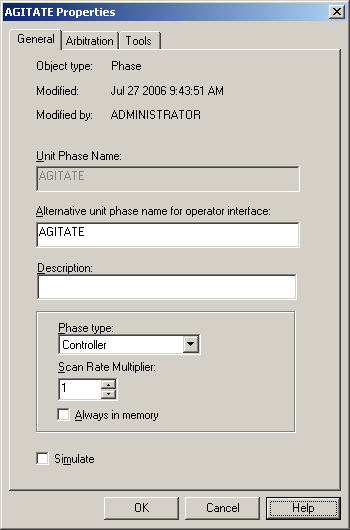
  3. Select the AGITATE unit phase under UM_BLEND_500 and select Controller for the phase type on the Unit Phase Properties dialog. Do the same for UM_BLEND_600. 
  4. Download the node. Do not accept the online values for uploading. Click Select None, close the Upload dialog, and then proceed with the download.