Now we are going to create phase classes and their associated batch input and report parameters. After that, we will create the logic for the phase class. The input parameters will be used later when we create recipes. One of the report parameters will be used later to log a value to the Event Chronicle.
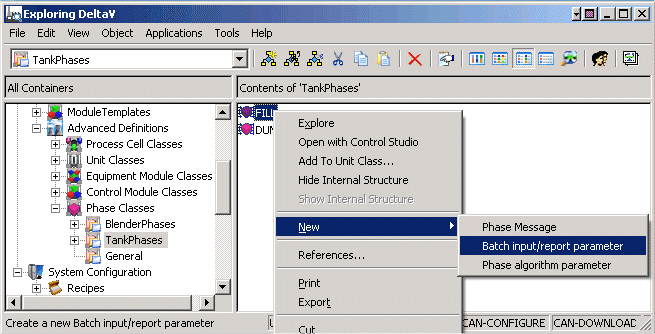
- Select the phase class FILL, right-click and select from the context menu.
-
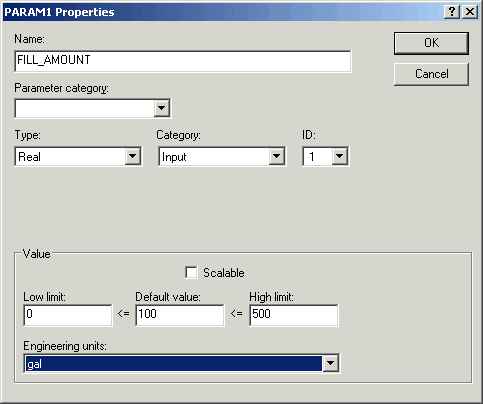
In the value boxes, leave 0 as the Low Limit, enter 100 as the Default Value and 500 as the High Limit, and select (type) gal for Engineering Units.
Note
The Scalable option can be used to indicate that, if the batch recipe is scaled (for example, by 50 percent), this is one of the parameters that will be scaled by the given percentage. For example, you may want to be able to scale the amounts of the input ingredients by the same percentage, but you may not want to scale the mixing time by the same percentage. Therefore, you would not check scalable for the mixing time parameter.