Operator prompts and dynamic references
>
Creating phase messages
Create the phase messages
In DeltaV Explorer, select the DRAIN phase class.
Right-click, and then select
New
→
Phase Message
from the context menu.
In the
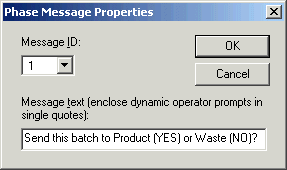
Phase Message Properties
dialog, enter the message text as shown, and then click
OK
.
Note that the message ID is automatically assigned number 1.
Create message 2 using the following message text:
How many gallons would you like to release?