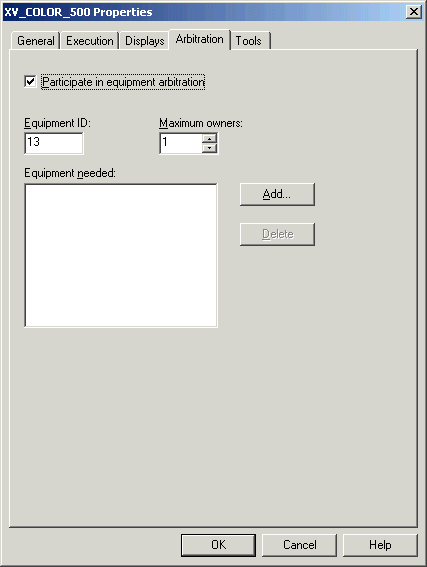
Modify module properties to allow equipment arbitration
First, you will modify the properties of the control modules (XV_COLOR_500 and XV_COLOR_600) that control the color inlet valves to allow them to participate in equipment arbitration.
In the DeltaV Explorer, select the module XV_COLOR_500 under System Configuration/Control Strategies/EXTERIOR_PAINT/PAINT_BLEND/UM_BLEND_500.
Right-click and select Properties from the context menu.
On the Arbitration tab of the Properties dialog, select the Participate in equipment arbitration check box . The Equipment ID is automatically assigned the next available number.
Note
The equipment IDs in the examples may not match those in your system. Whenever they are referenced in the phase logic, you need to substitute the ID numbers used in your system.
Leave the Maximum Owners value at 1 and click OK.
Repeat this procedure for module XV_COLOR_600 (in UM_BLEND_600).