- In DeltaV Explorer, select System Configuration/Physical Network/Control Network, and then click the + next to the workstation name.
- Select and right-click Batch Executive, and then select Properties from the context menu.
-
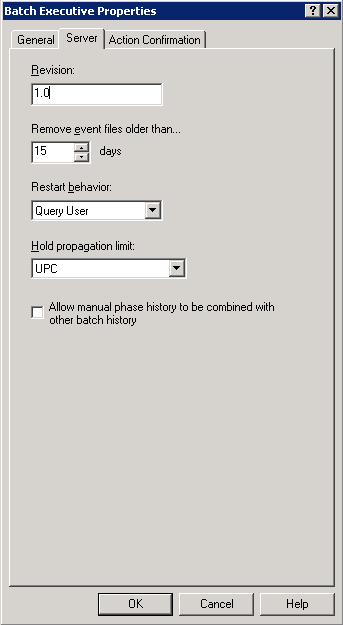
On the General tab of the Properties dialog, click Enabled to enable this workstation for batch.
You will be reminded that you will need to download the workstation.
- Fill in the fields on the Server tab as follows:
- Click OK.
- Download the workstation.