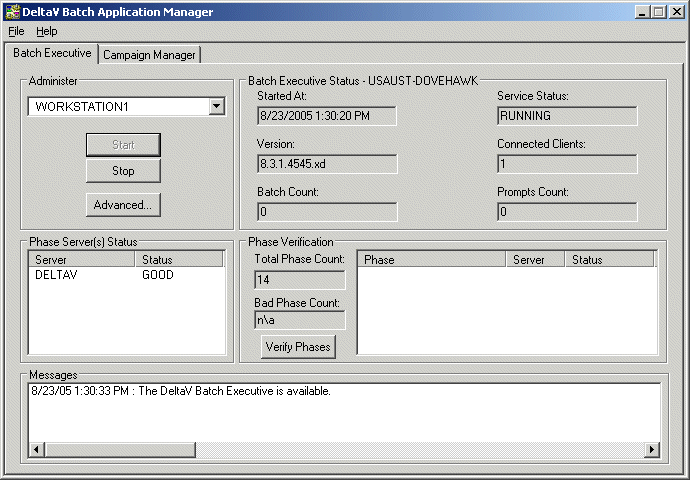
Click
Verify Phases.
The Batch Executive checks that all items specified in the batch
configuration (phases, phase parameters, and so on) are available. There should
be no Bad Phases. (If there are bad phases, first try clicking
Verify Phases again. If there are still
errors, go to the DeltaV Batch log file to find the errors. In Windows
Explorer, go to
DeltaV\DVData\Batch\Logs). If there are bad
phases, you need to correct them in your configuration. Another thing to check
(on the unit phase
Properties dialog) is that the unit phases all
have an assigned phase type of Controller. (Unit phases are the assigned phases
in each blender and color unit module in the PAINT_BLEND process cell.)