Failure monitoring

Verify the AGITATE phase failure conditions

Now we will verify that when a condition is tripped, it is detected by the Fail Monitor. To create a failure condition, we will open the XV_BASE_500 valve while the agitator is running. To do this, we will first put the XV_BASE_500 module in AUTO mode to allow us to open the valve.

  1. Open the Batch picture in DeltaV Operate.
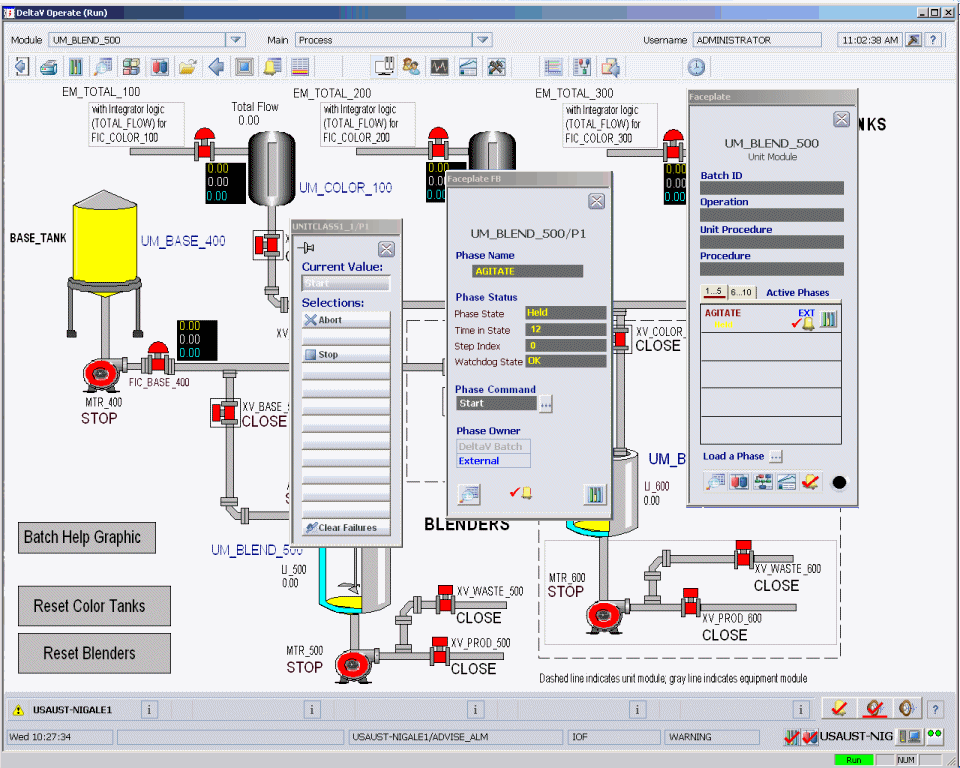
  2. Open the faceplate for the unit module UM_BLEND_500, load the AGITATE phase, open the AGITATE faceplate, and open the command list.
  3. In Control Studio, open the UM_BLEND_500 unit module.
  4. On the Home tab, in the Diagram Mode group, click On-line.
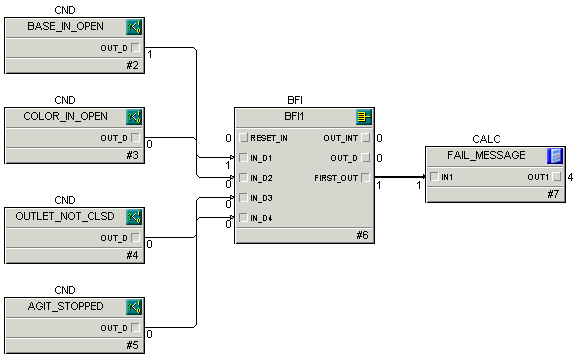
  5. Drill down into the AGITATEFAIL_MONITOR block.
  6. Enable monitoring for BASE_IN_OPEN by changing its DISABLE parameter to 0. 
  7. Go to the Process picture in DeltaV Operate.
  8. Click the tag XV_BASE_500 to open the faceplate for the module. Change the mode to AUTO.  
  9. Start the AGITATE phase.
  10. After AGITATE has started, open XV_BASE_500 by clicking the word CLOSE next to the XV_BASE_500 valve icon and clicking the OPEN button on the dialog.  

    The AGITATE phase should go through the holding state to the held state. 

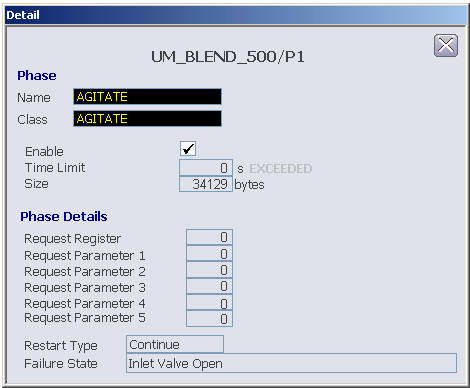
  11. On the faceplate for UM_BLEND_500/P1, click the Details button at the bottom of the faceplate to open the detail display.
    The Failure State at the bottom of the display should read Inlet Valve Open.

  12. Return to Control Studio. The OUT_D parameter on the BASE_IN_OPEN block temporarily changes to 1 and is sent to the BFI block's IN_D1 parameter.
    This value passes through the BFI to the FAIL_MESSAGE block using the FIRST_OUT parameter. The OUT1 parameter on the FAIL_MESSAGE block changes to 4, which reflects the numeric value associated with the named state Inlet Valve Open in the phase_failures named set.

  13. To test another condition, you need to reset XV_BASE_500 to Closed in DeltaV Operate. Clear the failure by clicking Clear Failures at the bottom of the command list. Then, click the STOP and RESET commands. Remember to enable failure monitoring for the condition block you want to test by setting its DISABLE parameter to 0.
    Note

    When you test the condition, AGIT_STOPPED, the phase should fail immediately because the agitator will not be running when the phase starts.

  14. When you are finished testing, return the mode for all the modules to CAS, unload the AGITATE phase, and close the faceplates.
Note

If you forget to unload a phase, it will remain in external (manual) mode. Later, when you try to run recipes, you will get errors about the phase being under external control.