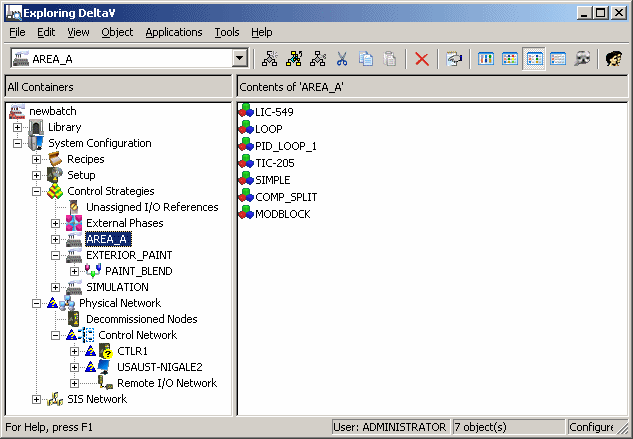
The DeltaV Explorer user interface consists of a window that is divided into panes. Across the top window pane are the bars: title bar, tool bar, and menu bar. The left pane contains the hierarchy structure of your entire DeltaV system. This includes the library items, setup configuration, physical plant areas, equipment, and logical control modules. The right window pane displays the contents of the item selected on the left pane. For example, if you click Area A in the left pane, then the right window pane lists all the items that make up Area A.