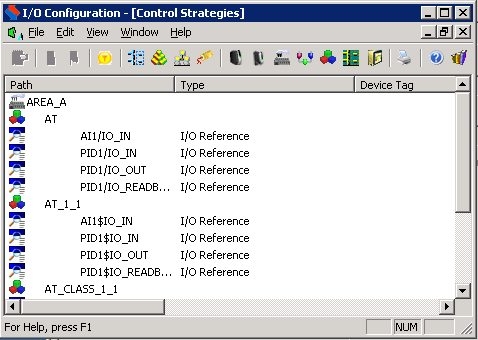
This view shows a hierarchy that includes areas, assigned modules, and I/O reference parameters. For each parameter, this view displays the parameter type and its associated Device Tag.
From the control strategies view, you can select parameters and edit their properties by right-clicking.