Module GEM classes, faceplates and detail displays
DeltaV Live provides predefined GEM classes, faceplates, and detail displays that are designed to function with the DeltaV module templates contained in the DeltaV Explorer library.
Faceplates and detail displays
Figure 1: Properties dialog for the PID_LOOP module template
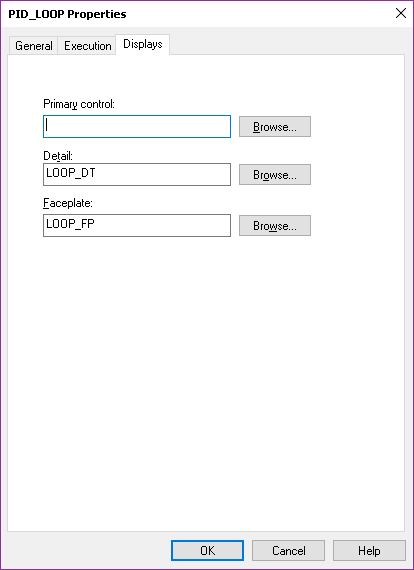
In DeltaV Live, faceplates and detail displays are opened as pop-up displays from a display graphic, an alarm list's menu bar, an alarm's context menu, or a button on a faceplate. To configure a display graphic to open a faceplate or detail display, create an Open Faceplate or Open Detail Display action on the graphic. In the Tag property of that action, enter the module tag for that faceplate or detail display. As it opens, a technique called partial tag substitution provides data links with the appropriate paths for the module. Only one copy of a particular contextual display is required to operate all the modules that call it. You can also configure an action to open a faceplate on any elements that support interactions, such as a datalink or button.
By default, opened faceplates and detail displays remain open in DeltaV Live until you
manually close them.
However, you can configure a layout to
participate in contextual display pinning and replacement
behavior by enabling Contextual
Display Pinning on a layout's Interaction tab. When
this feature is enabled, a pushpin icon  appears on faceplates
and detail displays.(For more information on this behavior, see the topic, Allowing pinning and
replacement behavior for contextual displays.)
appears on faceplates
and detail displays.(For more information on this behavior, see the topic, Allowing pinning and
replacement behavior for contextual displays.)
Mini faceplates are included as well for several of the module templates. A mini faceplate is a smaller version of a main faceplate that shows only a module's critical values. This smaller faceplate allows operators to continually watch critical values without taking up a significant amount of screen real-estate.
| Module templates | Main faceplate | Mini faceplate |
|---|---|---|
| ANALOG monitoring | AI_fp | AI_fp_mini |
| All motor and valve module templates | DL_fp | DL_fp_mini |
| VLV_DCC_EDC | EDC_fp | EDC_fp_mini |
| PID loop (PID_LOOP, CASCADE_MASTER, CASCADE_SLAVE, PID_GAINSCHED, SIM_SR_PID) | Loop_fp | Loop_fp_mini |
| PID loop (PID_LOOP, CASCADE_MASTER, CASCADE_SLAVE, PID_GAINSCHED, SIM_SR_PID) | Loop_Ramp_fp | Loop_Ramp_fp_mini |
| MPC_LOOP | LOOPM_fp | LOOPM_fp_mini |
Figure 2: Analog Monitor main faceplate
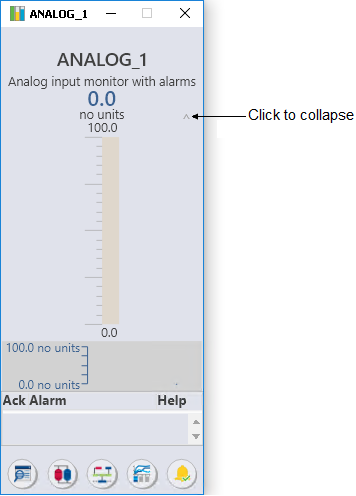
Figure 3: Analog Monitor mini faceplate
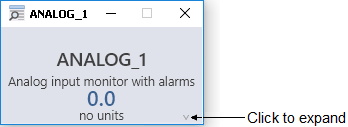
GEM classes
GEM classes are pre-defined with the necessary characteristics, algorithms, and information for their corresponding module templates. The module information shown in a GEM varies for each module and GEM. For example, the analog bar GEMs visually show a target value and process value using a graph, while other GEMs show PV and SP as numerical values. Most module GEMs visually indicate, through colors or icons, information such as the state of the module alarms or when the module is not in its normal operating mode.