UM_fp (Unit Module faceplate)
Configuration view of the Unit Module faceplate (UM_fp)
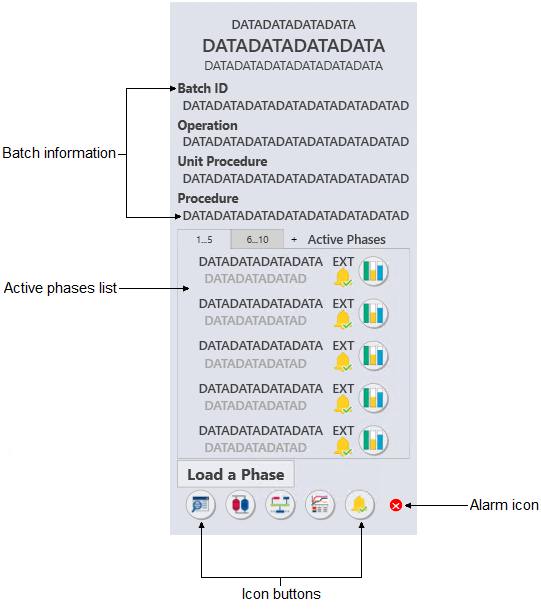
The UM_fp is used with the
Unit Module templates (for batch processes). The following list describes the
major components that are present on the UM_fp.
- Batch information
- Shows the Batch ID, operation, unit procedure, and procedure.
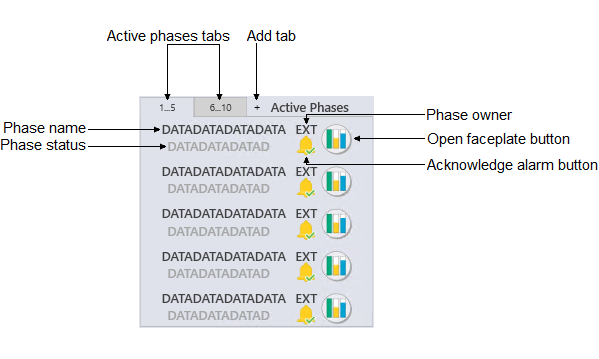
- Active phases list
- Shows the active phases and unit phases.
- Load phase button
- Creates or starts a new phase in the unit module.
- Alarm icon
- Shows the highest priority alarm for that module. The following
table shows the alarm icon for each alarm priority and state.
Active acknowledged Active unacknowledged Inactive unacknowledged Suppressed Critical alarm 


Warning alarm 


Advisory alarm 


- Icon buttons


