Display CHARMs LSN Bridge Global RX details

The LSN Bridge Global RX List dialog shows the Global Publisher ID and type, as well as whether the connection from which the CHARMs LSN Bridge is receiving on the Global Safety Network is primary or secondary. The total number of connections appears in the Total Count field.

To open the LSN Bridge Global RX List dialog, complete the following steps:
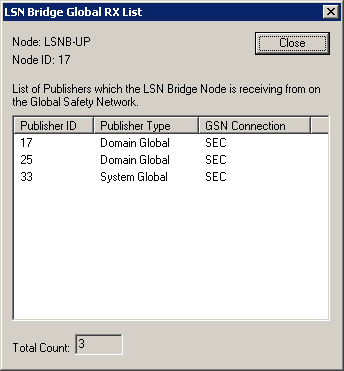
  1. Select a Global Safety Network communications subsystem for a CHARMs LSN Bridge.
  2. Right-click, and then select Display Global RX List.


    Note

    For more information about the Global Publisher ID, type, and connection for a selected Global Safety Network communications subsystem, click the corresponding column title in the List of Publishers table.