-
Right-click the logical device for which you want to see device
data, and then select
View Device Data. For EIOCs
using the Ethernet/IP Control Tag Integration Protocol, navigate to the logical
device and right-click a control tag to
View Device Data.
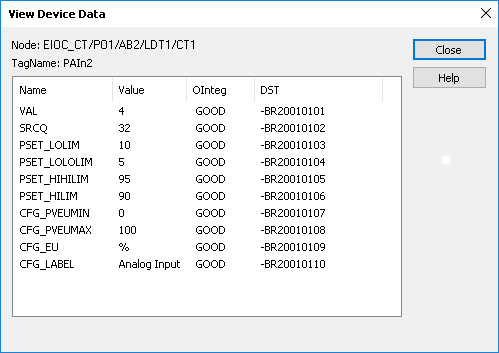
The View Device Data dialog opens, showing the Name, Value, OInteg, and DST parameter value for each configured signal. If the EIOC uses the Ethernet/IP Control Tag Integration Protocol, the control tag name is also shown below the node.