The Custom Block Assistant helps you add different types of blocks to your diagram. You can add function blocks, extended blocks, embedded or linked composite blocks, or module blocks. The Custom Block Assistant asks you what type of block you want to add and whether it is a new or existing block. You answer the questions and identify the block, and the block assistant adds it to your diagram. Not that some block types are available only in certain conditions.
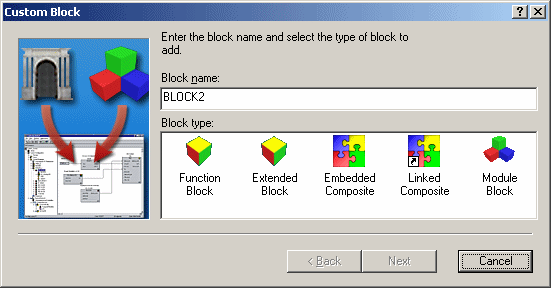
Block Types
Function Block — A primitive or basic block that provides commonly used functions for your algorithm.
Extended Block — A DeltaV function block that communicates with a function block running in a fieldbus device.
Embedded Composite — A block that is not linked to the original object. An embedded composite contains one or more other blocks and parameters. If changes are made to the original object, this composite will be unaffected. Use this type when you want an independent, standalone copy of an existing composite.
Linked Composite — A block that is linked to a composite block or template. A linked block is a composite of one or more other blocks and parameters. If changes are made to the original composite block, the changes affect this block (unless the changes are made to a parameter that is no longer linked to the original template).
Module Block — A block that provides input/output connectors to another module from within the module you are editing. For example, when implementing cascade control, you could have an inner loop and an outer loop that execute at different rates. The module block you add here could control one loop, and the module you are editing could control the other. The scan rate is a property of a module. You can add Module Blocks only at a module's top level.