The Enhanced Ramp function block ramps specified parameters in a target function block up or down to an endpoint at a specified rate or over a specified amount of time. A ramp parameter can be specified for each mode of the target function block. You configure the target function block by specifying its mode parameter, as well as the parameters to be ramped for each target block mode. You can also configure ramping limits by enabling the Obey the limits option of the ERAMP_OPTS parameter. You can specify the ramp time duration or rate, as well as the ramp endpoint and direction. For ramps that do not have a static endpoint, you can configure variable endpoint ramps by specifying the Variable endpoint option of the ERAMP_OPTS parameter.
The Enhanced Ramp function block supports signal status propagation. There are no modes or alarm detection.
The Enhanced Ramp function block supports the Add History Recorder feature in Control Studio.
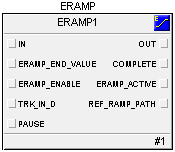
IN: The analog input value and status that can be used as the ramp starting point.
ERAMP_END_VALUE: The ramp end point input value and status.
ERAMP_ENABLE: Starts the ramp state machine. If set to 1 (True), may activate ramp calculation. If set to 0 (False), stops the ramp state machine and ramp calculation.
TRK_IN_D: Causes the OUT parameter to track the IN parameter.
PAUSE: Pauses ramp calculation.
OUT: The output value and status that indicates a tracked or a ramped value.
COMPLETE: Indicates that ramp calculation is complete and that the final value was written to the target block parameter (except for some Variable endpoint and Ramp up or Ramp down configurations).
ERAMP_ACTIVE: Indicates an active ramp.
REF_RAMP_PATH: The current path to the target block parameter to be ramped. REF_RAMP_PATH is a read-only string parameter.
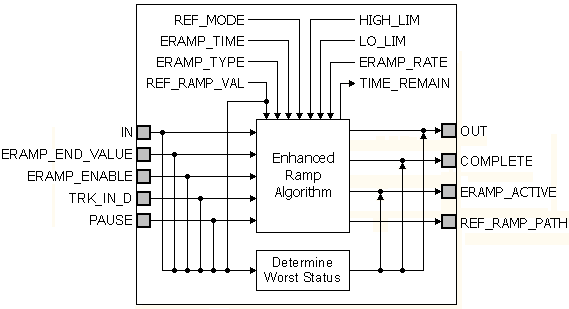
The following schematic diagram illustrates the components of the Enhanced Ramp function block: