The following graphic is the first screen of a device-specific HART device alarm detail display. The contents of the detail displays varies depending on the device type.
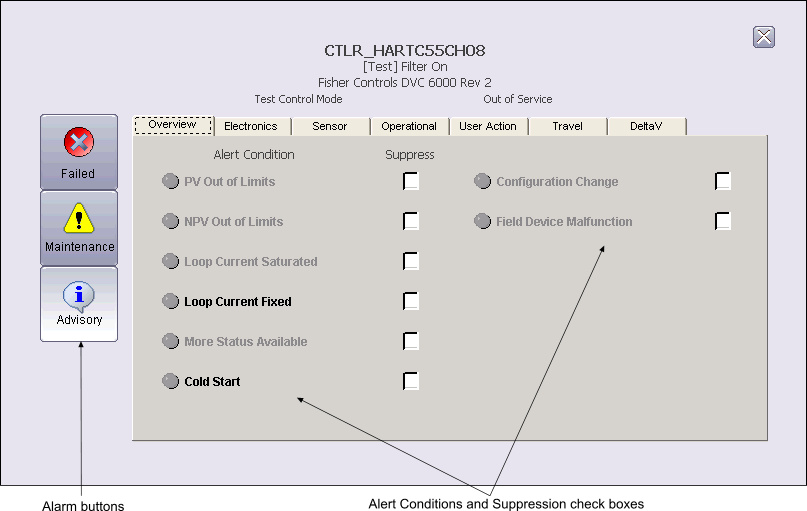
You can open a device-specific HART Device Alarm detail display in DeltaV Operate run mode by clicking the Open Detail button on the associated faceplate toolbar. The Alert Conditions and Suppression check boxes list the potential Failed, Maintenance and Advisory alert conditions for HART devices. The button color indicates the active/inactive state of the alert condition; red is active. The condition text is black when it is associated with the selected (white) alarm button and gray when it is associated with an alarm button that is not selected. A red underlined tab indicates that one or more conditions on that tab are active. The checkboxes enable you to suppress the associated alert.