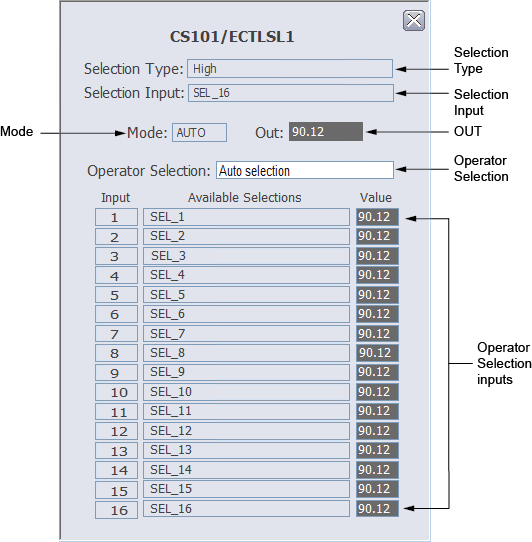
The Enhanced Control Selector function block faceplate contains the following items:
-
Selection Type
- Operator Selected – If Operator Selection is SEL_1, SEL_2, …, SEL_16
- Low, Middle, or High – If Operator Selection is Auto Selection
- Selection Input – Auto Selection or SEL_1, SEL_2, …, SEL_16
- Out – The analog output value and status. If Mode is Manual (Man), OUT can be set manually by clicking the Out field.
- Mode – Automatic (Auto), Manual (Man), Initializing Manual (IMan), or Out of Service (OOS).
-
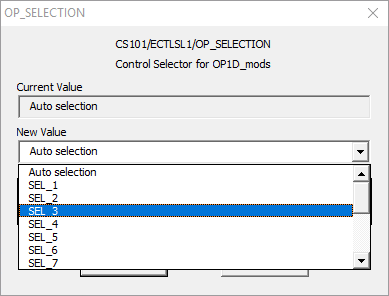
Operator Selection – Click to select Auto
Selection or one of 16 control signals in the
OP_SELECTION dialog.
- Operator Selection inputs – A list of up to 16 control signals as input.
For more information, refer to the Enhanced Control Selector function block topic.