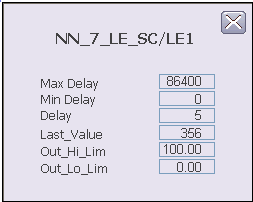
The following items are contained in the Lab Entry function block detail display:
-
Max Delay - This area displays the maximum delay value allowed.
-
Min Delay - This area displays the minimum delay value allowed.
-
Delay - This area displays the current delay value.
-
Last_Value - This area displays the most recently entered sample value
-
Hi_Lim - This area displays the maximum value of the output in engineering units. Click this field to enter a new limit. The valid input range for this value is -10 to 110 % of the output scale in engineering units.
-
Low_Lim - This area displays the minimum value of the output in engineering units. Click this field to enter a new limit. The valid input range for this value is -10 to 110 % of the output scale in engineering units.