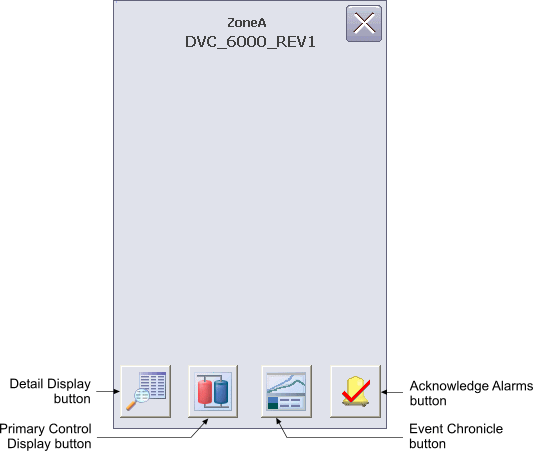
You can open the fieldbus device alarm faceplate in DeltaV Operate run mode by clicking a device alarm button in the Alarm Banner.
The Fieldbus Device Alarm Operator Keyboard faceplate contains the following items:
Detail Display button – Open the detail display for the device.
Primary Control Display button – Open the primary control display.
Event Chronicle button – Open the Process History Viewer.
Acknowledge Alarms button – Acknowledge all alarms in the device.