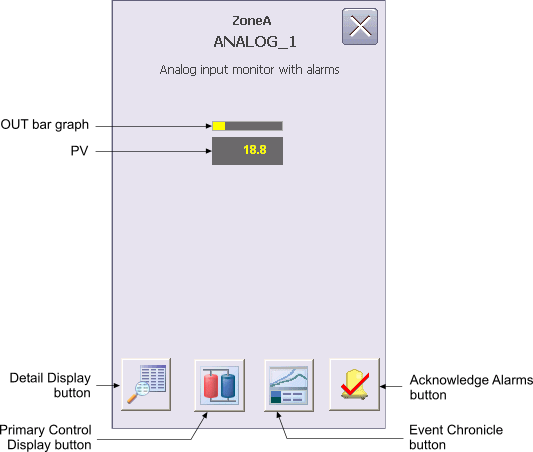
The ANALOG Monitoring Module Operator Keyboard faceplate contains the following items:
PV – This field displays the PV value of the AI module in yellow. The background color of the field changes from gray to orange or red when the PV status becomes uncertain or bad, respectively. The background blinks red when the PV Bad alarm is unacknowledged. The background blinks red when the PV Bad alarm is unacknowledged. The PV value is visible in the decimal format provided by OUT_SCALE.DECPT.
OUT bar graph – This field indicates the value of the PV parameter for the AI.
Detail Display button – Open the detail display for the device.
Primary Control Display button – Open the primary control display.
Event Chronicle button – Open the Process History Viewer.
Acknowledge Alarms button – Acknowledge all alarms in the device.
Module Error indicator (not shown) – A flashing blue bar is displayed below the Detail Display button when a module error occurs. This prompts you to go to the detail display to view and clear the error.