The unit phase detail display in DeltaV Operate provides the following functions:
-
Shows phase name and class
-
Shows phase status (enabled, time limit, phase size)
-
Shows phase details (value of request register and request parameters)
-
Provides a means to acknowledge requests
-
Shows restart type
-
Shows failure state
-
Provides a means to select the default monitor on which to present the detail display
Figure: Unit Phase Detail Display (UPH_DT)
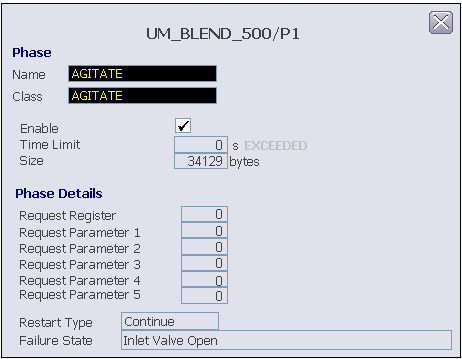
The unit phase detail display is accessed through the unit phase faceplate display.