View node license details
-
Right-click the node in the DeltaV Explorer.
-
Click
. The dialog displays license features.
-
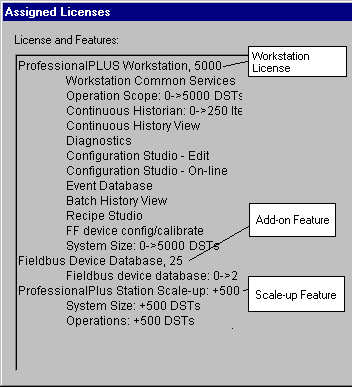
To see the specific licenses that have been assigned to this node
and their features, click the
Licensing Details button. A dialog like the
figure below appears: