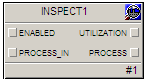
The Inspect function block makes the Utilization performance statistics calculated by the Inspect server available to view, plot, add to history, and so on. If the block's SYSTEM parameter is set to TRUE, the block reports statistics for the entire control system regardless of where it is located. Otherwise, the block reports statistics only for the current module with the Inspect block.
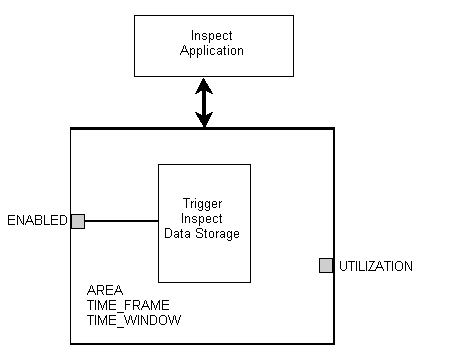
The Inspect server calculates Utilization values for the specified TIME_FRAME and TIME_WINDOW. The block contains an ENABLED parameter that can be set to 0 or 1 to disable or enable Inspect processing, respectively, on the portion of the plant where the block is located.
The AREA parameter of Inspect blocks should be left blank. The parameter exists for backward compatibility with configurations created with earlier versions of the software. The software automatically determines the Area, Process Cell, Unit Module in which the block is located.
The Inspect function block does not support modes or status.
The following diagram shows the internal components of the Inspect function block: