Parameter values that have been changed online through Control Studio or through DeltaV Operate or DeltaV Live no longer match the configuration database values. An upload may be required to reconcile the online values and the database values. However, you may not want certain online parameter values to be uploaded to the database.
The Parameter Securities and SIS Parameter Securities dialogs enable you to define which parameters are allowed for upload when they have been changed online.
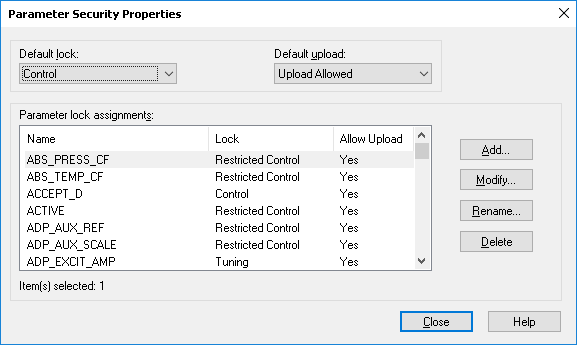
The Default upload value (Upload Allowed or Upload Prohibited) defines the upload behavior for all uploadable parameters in the system that are not shown in the list. If a parameter is not in the list and you want to override the default upload behavior for it, click Add to add the parameter to the list, then set the upload behavior as desired by selecting or clearing the Allow Upload checkbox. To change the upload behavior for a parameter already in the list, select the parameter, click Modify and then select or clear the Allow Upload checkbox.